01 Goals
Say what you're training for.
Fighting in two weeks. First marathon. Ready for HYROX. Type it or say it — Trika builds around the goal you actually have, not the nearest preset.
Now on iOS & Android
Your training and your meals in one plan, built for your goal. When your week changes, so does the plan.
Built for goals like
Planned around the days you can train, the equipment you have, and your daily calories and macros.


5.0 on the App Store · 13 ratings in Spain (opens in a new tab) Free to download for iPhone, Apple Watch and Android.
01 Goals
Fighting in two weeks. First marathon. Ready for HYROX. Type it or say it — Trika builds around the goal you actually have, not the nearest preset.
02 Plan
Not a list of workouts — phases that run for weeks, built around the days you can train, where you train, and your equipment. Daily calories and macros come with it.
03 Today
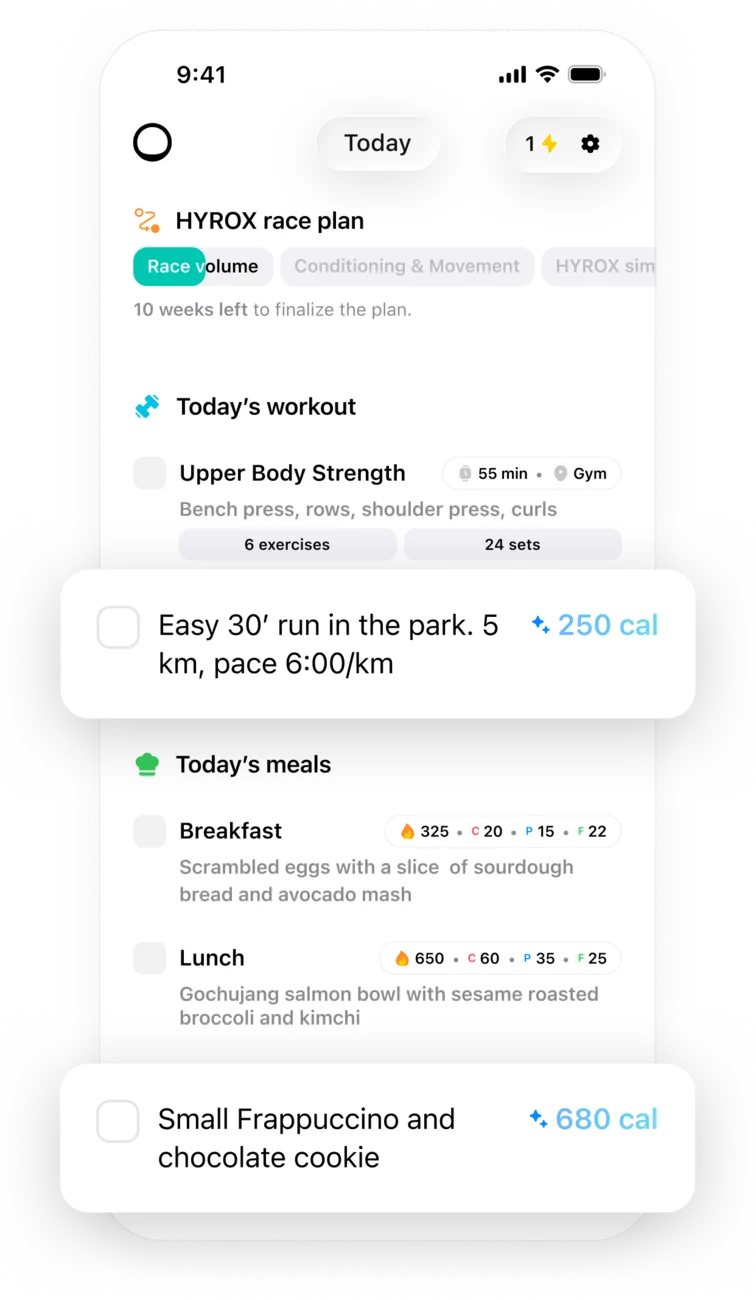
Today's session, today's meals, and how far into the phase you are. Nothing to plan the night before, nothing to look up.
Once the plan exists, this is the loop — log what happened, adjust what's next, ask the coach when the week changes.
Write it like you'd say it. Trika does the calories.
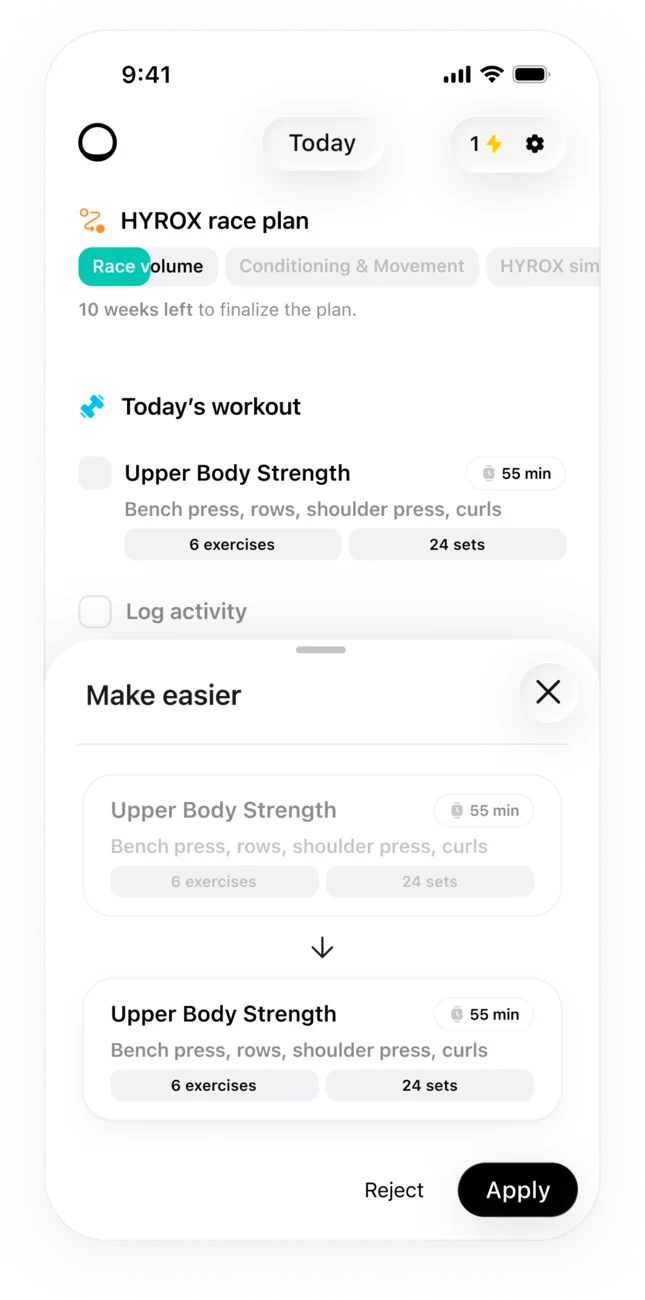
Too hard, too long? Preview the revised session next to the current one, then apply it.
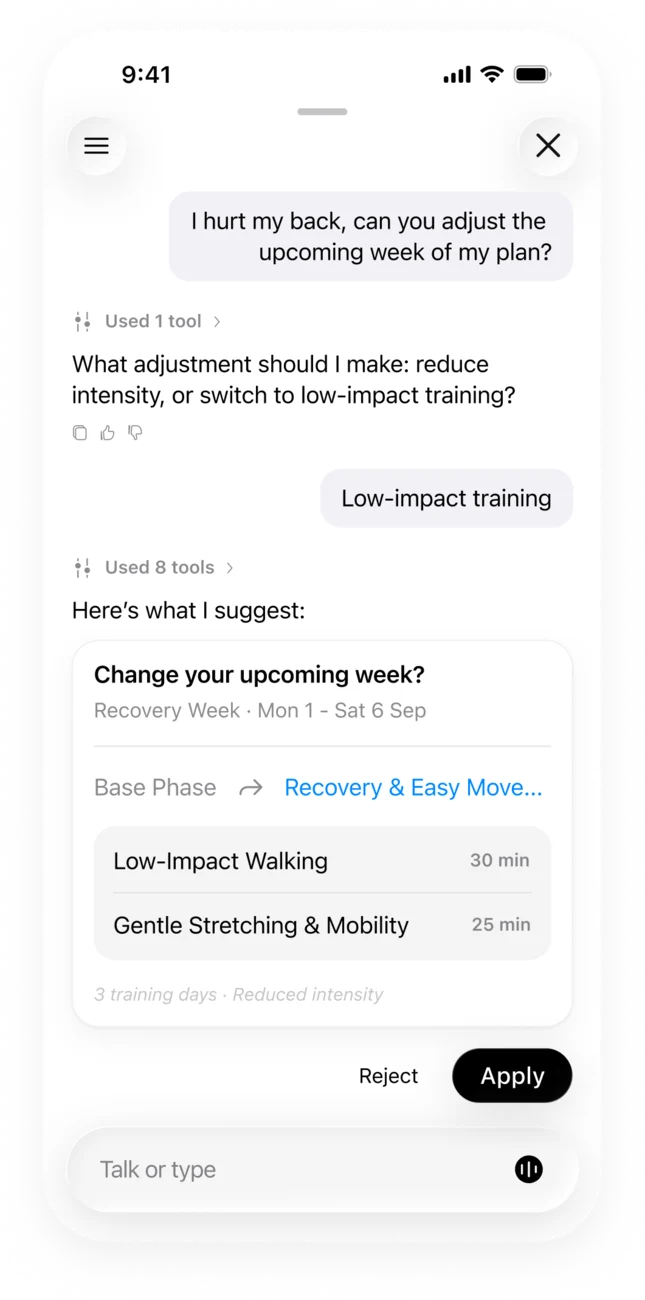
Tell it what's changed. It proposes a new week, and nothing moves until you approve.
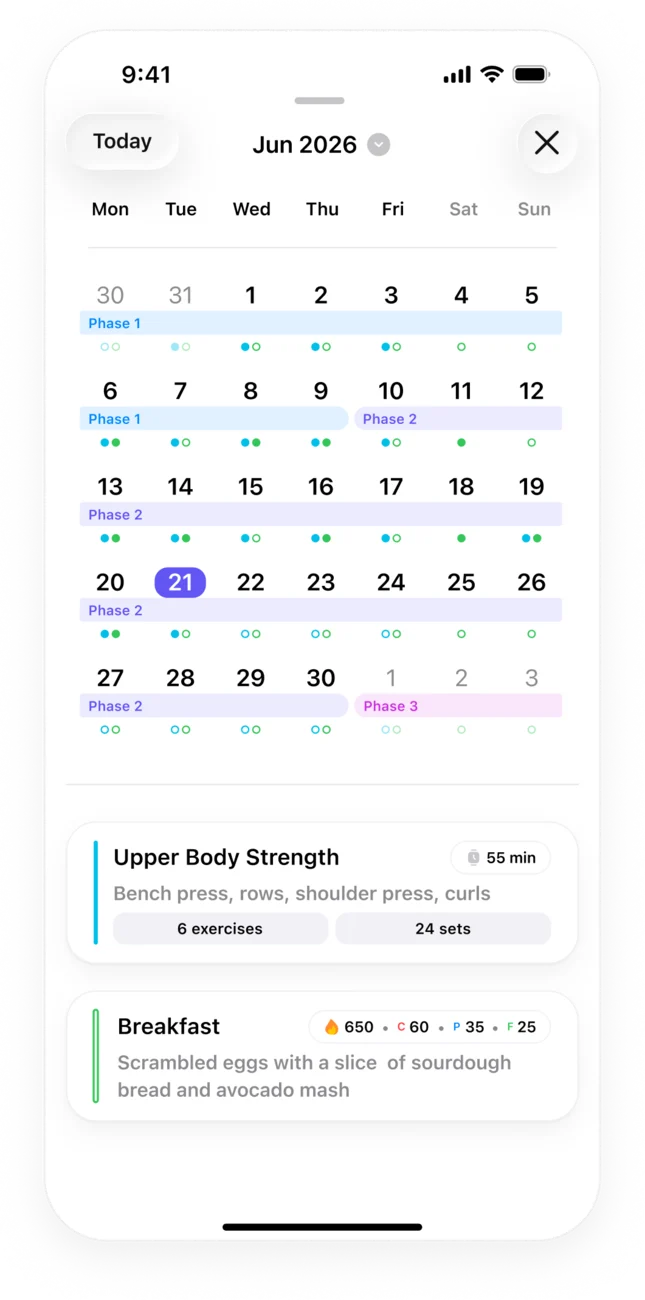
The whole block on one calendar. Filled dots are done.
Trika suggests, you decide. Every change shows up next to what it replaces, and nothing in your plan moves until you approve it. Try it:
Today's workout
Upper Body Strength
Pick a tweak
Upper Body Strength
Upper Body Strength
Tell it what's changed
I hurt my back. Can you adjust my upcoming week?
Here's what I suggest:
Approve this change?
Plan updated
Change declined
Base phase becomes Recovery & easy movement
Tap a tweak like Make easier, Make shorter or Change focus, or tell the coach what's changed.
See the revised session next to the current one. From the coach, you see the whole proposed week.
Apply or approve to swap it in. Reject or decline to keep what you had. Your latest coach change can be undone.
What happens between tapping Get and your first session.
Your goal in your own words, the days you can train, where you train and with what, any injuries, and how you eat.
Trika builds your training phases and daily calories and macros, then walks you through your first week, before you sign up or pay.
Save your plan with Apple, Google or email.
Trika Pro unlocks every day of your plan, the coach and AI logging, monthly or yearly, with the price shown before you pay. Or keep the first two days of your plan for free.
Trika reads your sport, your body, your week — and writes back a plan that fits the day in front of you. No templates. No guesswork. A coach that adapts.
5.0 out of 5 from 13 App Store ratings in Spain. Real App Store reviews, translated from Spanish.
★★★★★
“A trainer and a nutritionist in one app. The most complete fitness app I've tried, personalized 100% to my needs.”
“Entrenador y nutricionista en una misma app. Es la aplicación fitness mas completa que he probado, personalizada al 100% en mis necesidades”
★★★★★
“Finally I can train and eat knowing whether I'm doing it right or wrong.”
“Por fin puedo entrenar y comer sabiendo si lo estoy haciendo bien o mal.”
★★★★★
“[…] it really adapts everything to your goals and progress […] I like that it combines training and food in a practical way, with no complications and no plans you can’t stick to.”
“[…] realmente adapta todo a tus objetivos y evolución […] Me gusta mucho que combina entrenamientos y alimentación de forma práctica, sin complicaciones ni planes imposibles de mantener.”